Ask your PC for any file — in plain language.
The local-first Windows launcher for knowledge workers, team leads, and privacy-sensitive professionals.
You interact with multiple projects, files, applications, and web resources everyday. You pride yourself on productivity. GrabThat removes the friction and mental fatigue due to context switching by associating your digital resources with natural language.
GrabThat connects lightweight on-device models directly to your files, team databases, scripts, and snippets. Find your files without changing how you work—100% offline, zero cloud calls, and zero data leakage.



You don't have to know everything. You just have to know where to find it.
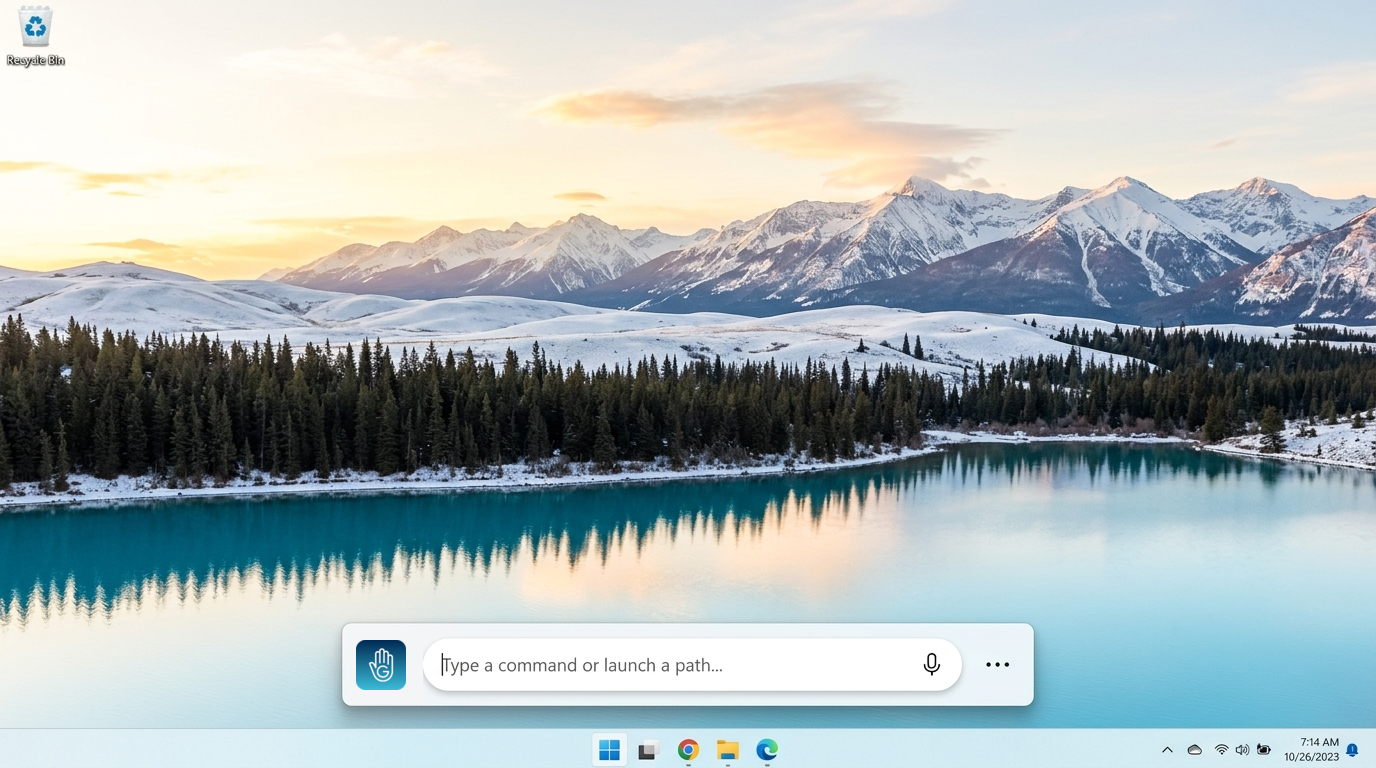
This is the access hot-key that activates the launch terminal.
Press Ctrl + Space anywhere on your desktop to summon GrabThat instantly.
100% offline. No cloud.
Here is exactly how it works.
Buyers in regulated industries shouldn't have to guess what software does with their files. Here is the exact on-device execution path GrabThat uses from keystroke to result.
Quantized On-Device Models
Ships self-contained with lightweight, optimized embedding models (including quantized all-MiniLM-L6-v2) running natively on your CPU or GPU through Windows DirectML. No external Ollama setup, Python scripts, or OpenAI API keys required.
Local Vector & SQLite Indexing
Indexes chosen folders, documents (PDF, DOCX, XLSX, TXT), snippets, and team database mirrors into a fast local vector database. Background indexing uses minimal memory footprint (under 180MB RAM) without slowing down your workstation.
Sub-Second Semantic Retrieval
When you press CTRL+Space and ask in natural language—e.g. 'find the structural load calculations from last quarter'—the local model matches semantic meaning rather than exact file names, delivering instant local results.
Workstation Data Residency Guarantee
AI powered solution that configures to you.Not the other way around.
Most AI tools try to force a blanket transformation or change how your team operates. GrabThat takes a fundamentals-first approach: a configurable, local-first Windows hub that works alongside your existing operations, connecting directly to your local files and databases.
Features
Launcher
CTRL+Space will summon the Launcher. Use natural language to access resources with trained paths across all editions.
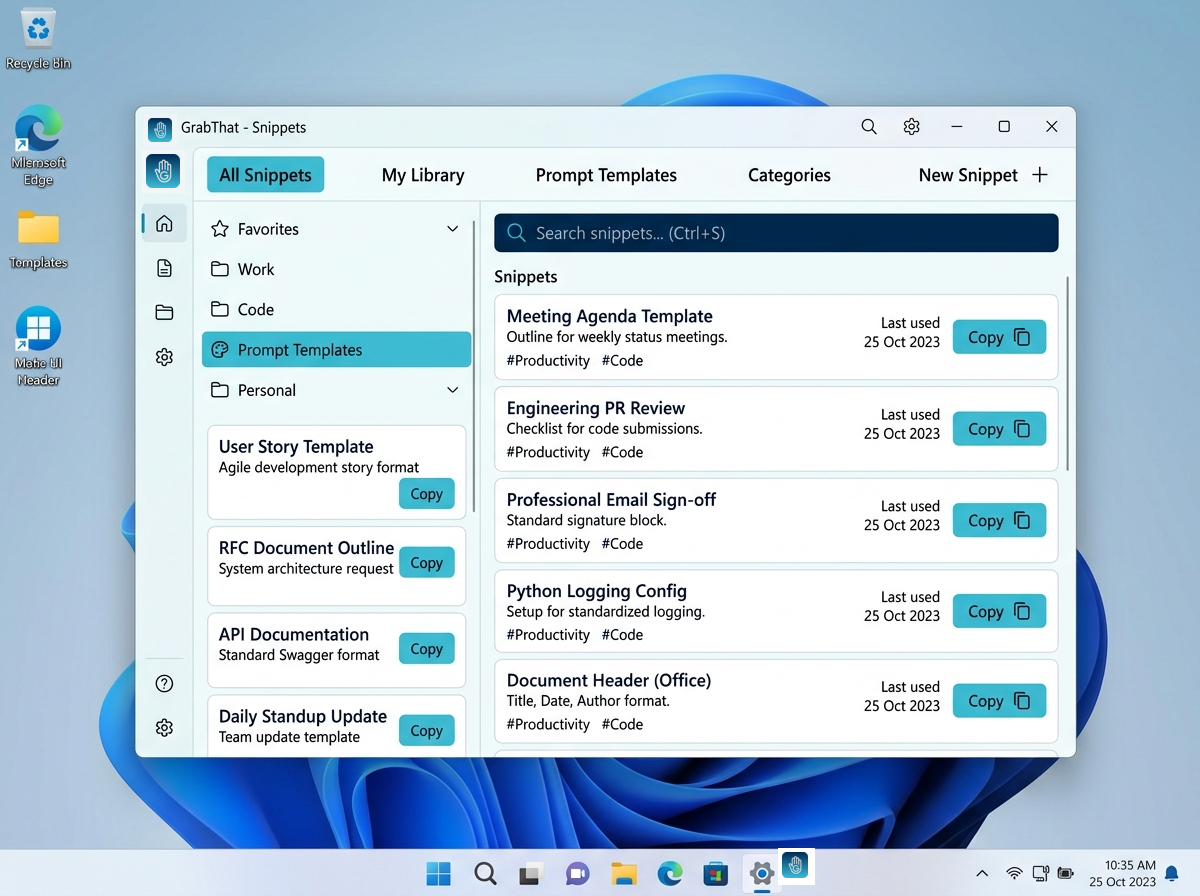
Snippets
Quickly access, organize, and expand reusable prompts, standard operating procedures, and recurring text templates across any application.
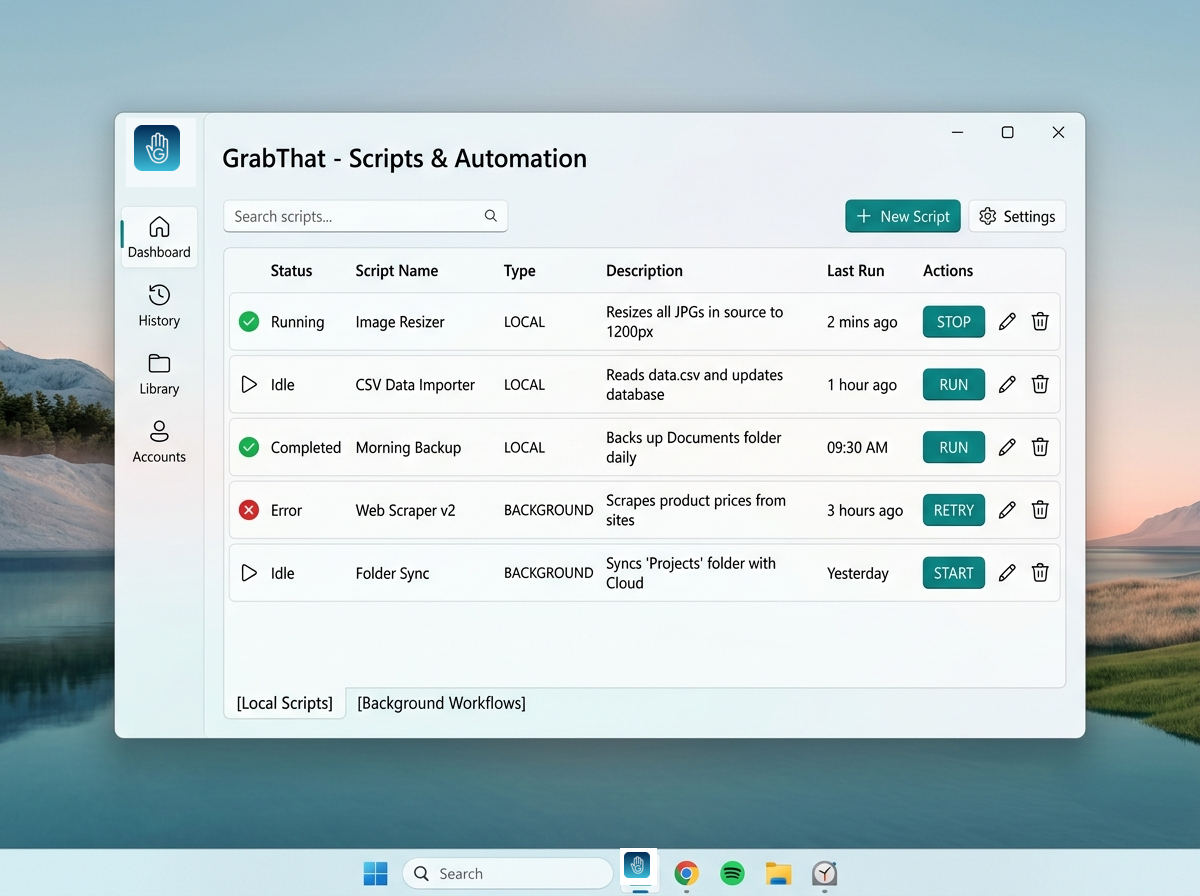
Scripts
Execute local automation scripts and background operations directly from natural language phrases.
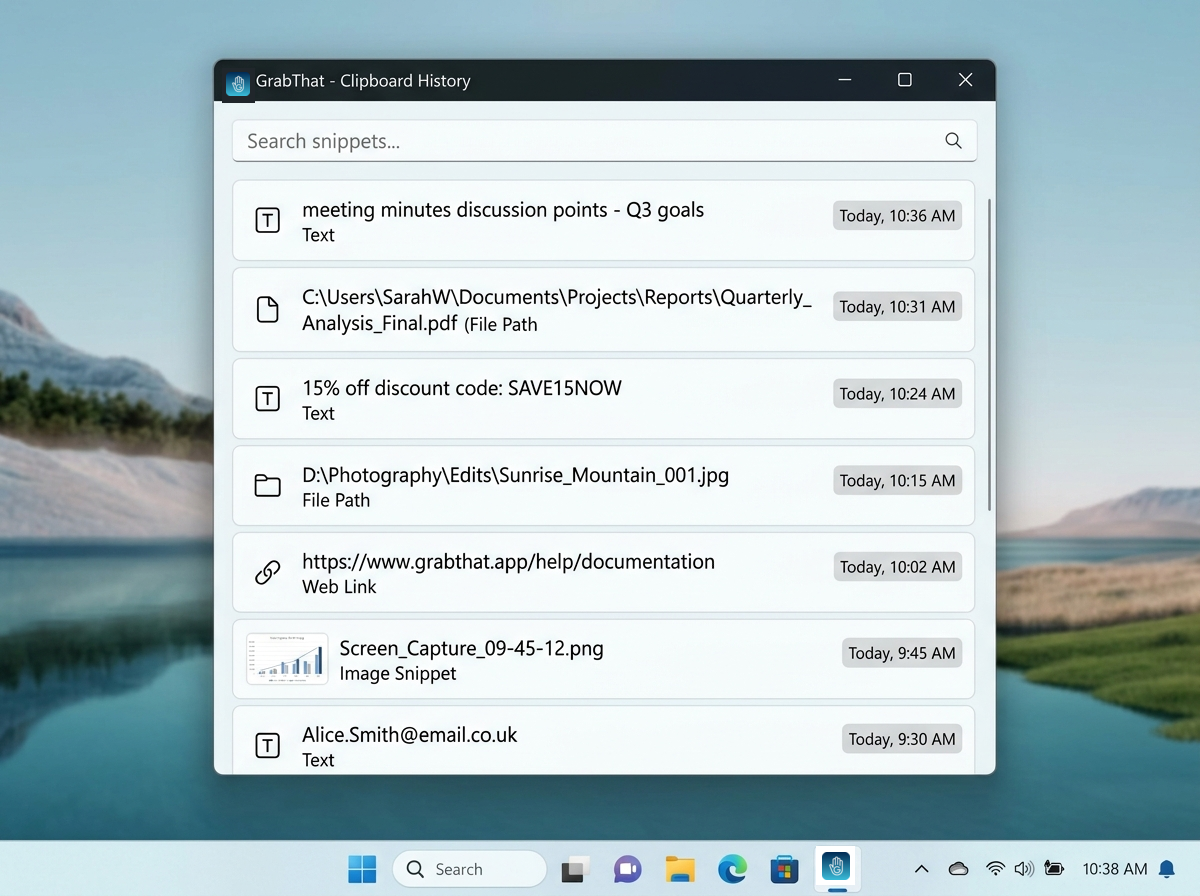
Clipboard
Securely recall recently copied text, commands, and snippets with local indexing and instant recall.
Schedule
Set up recurring background workflows, automated report runs, and synchronized directory tasks on flexible custom time schedules.
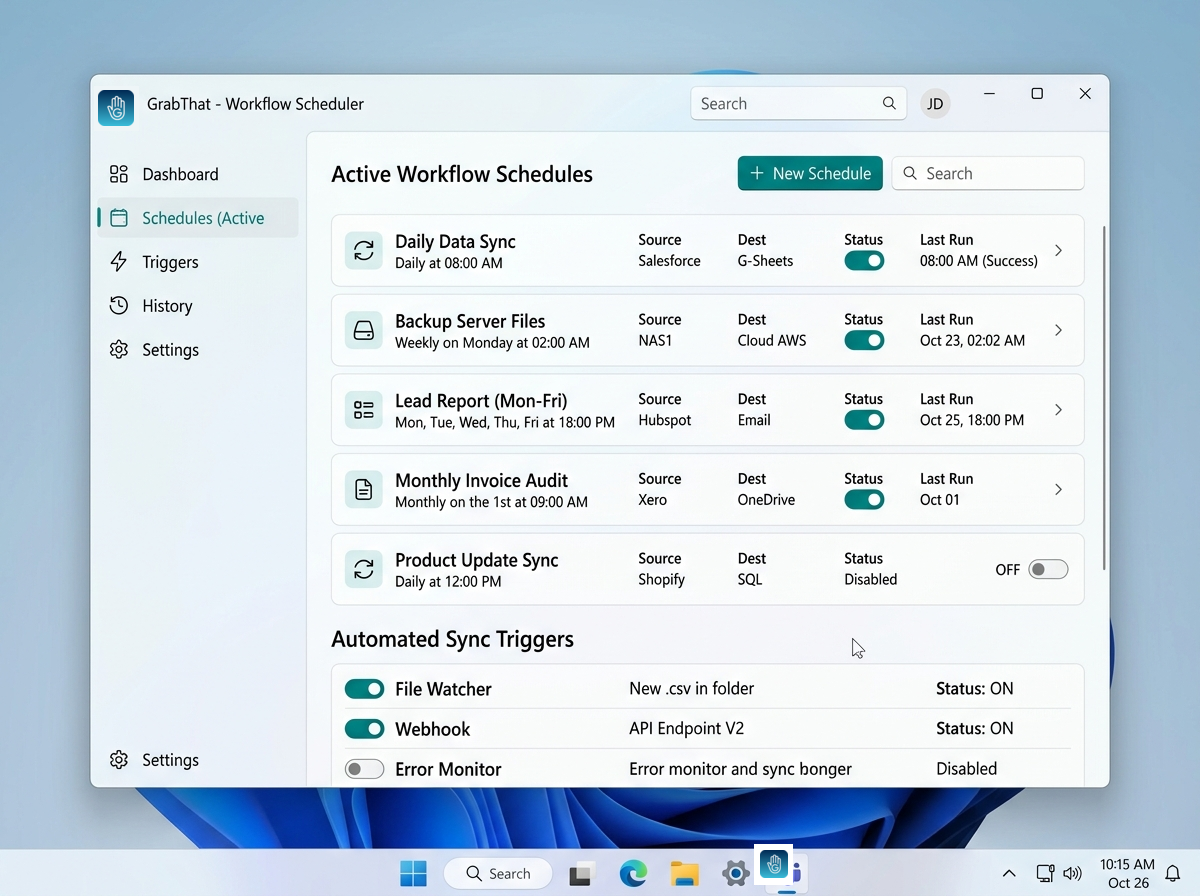
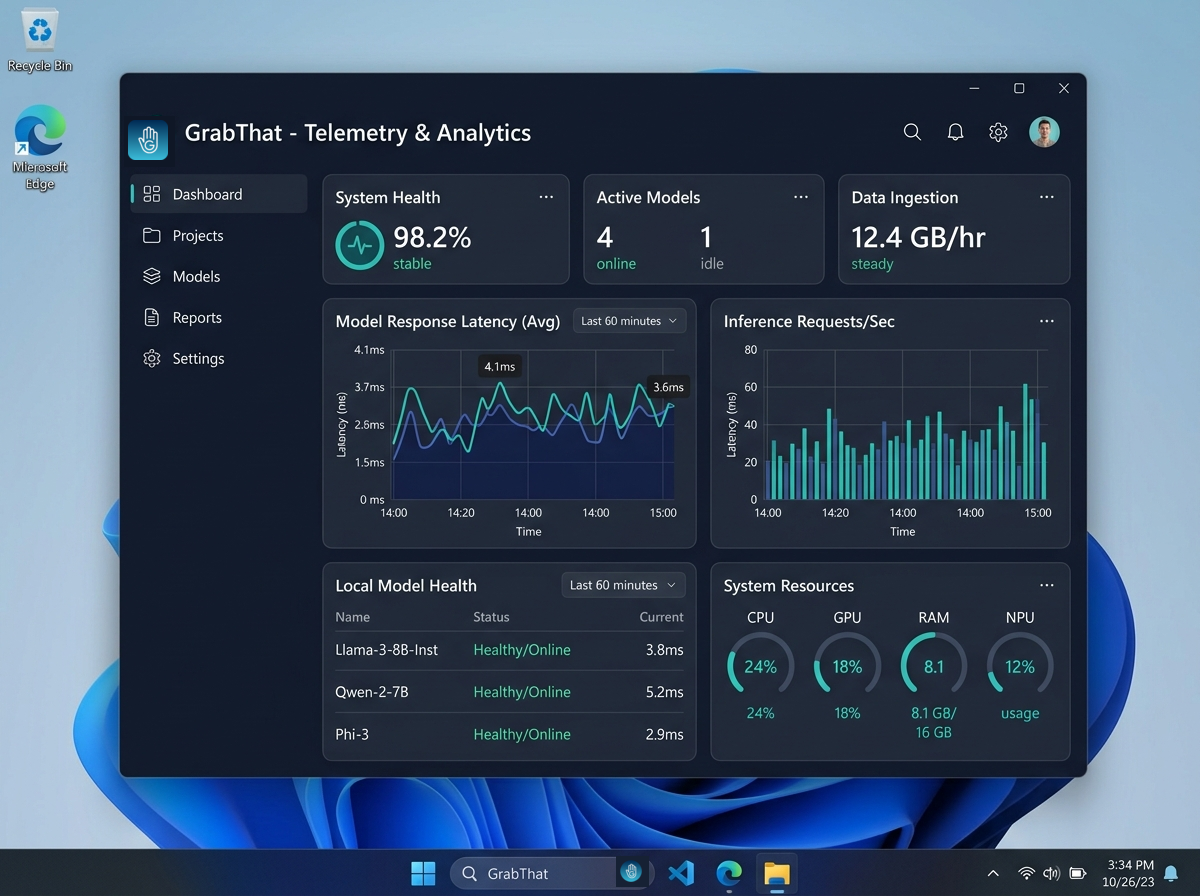
Telemetry
Track usage metrics, execution latency, model resource consumption, and automated workflow health in a private local dashboard.
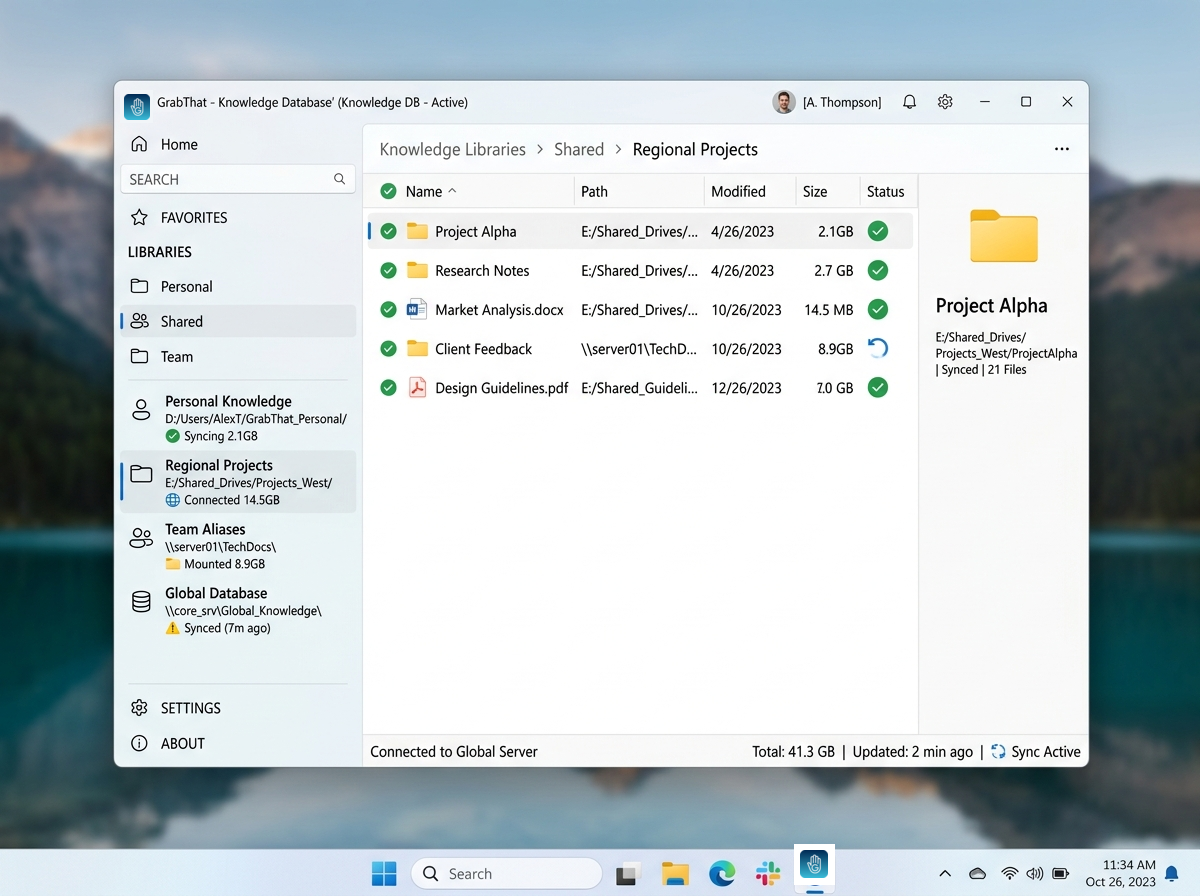
Database
Manage personal and shared knowledge bases, map internal directories and file indexes (15 personal items on Free, unlimited personal & shared on Premium).
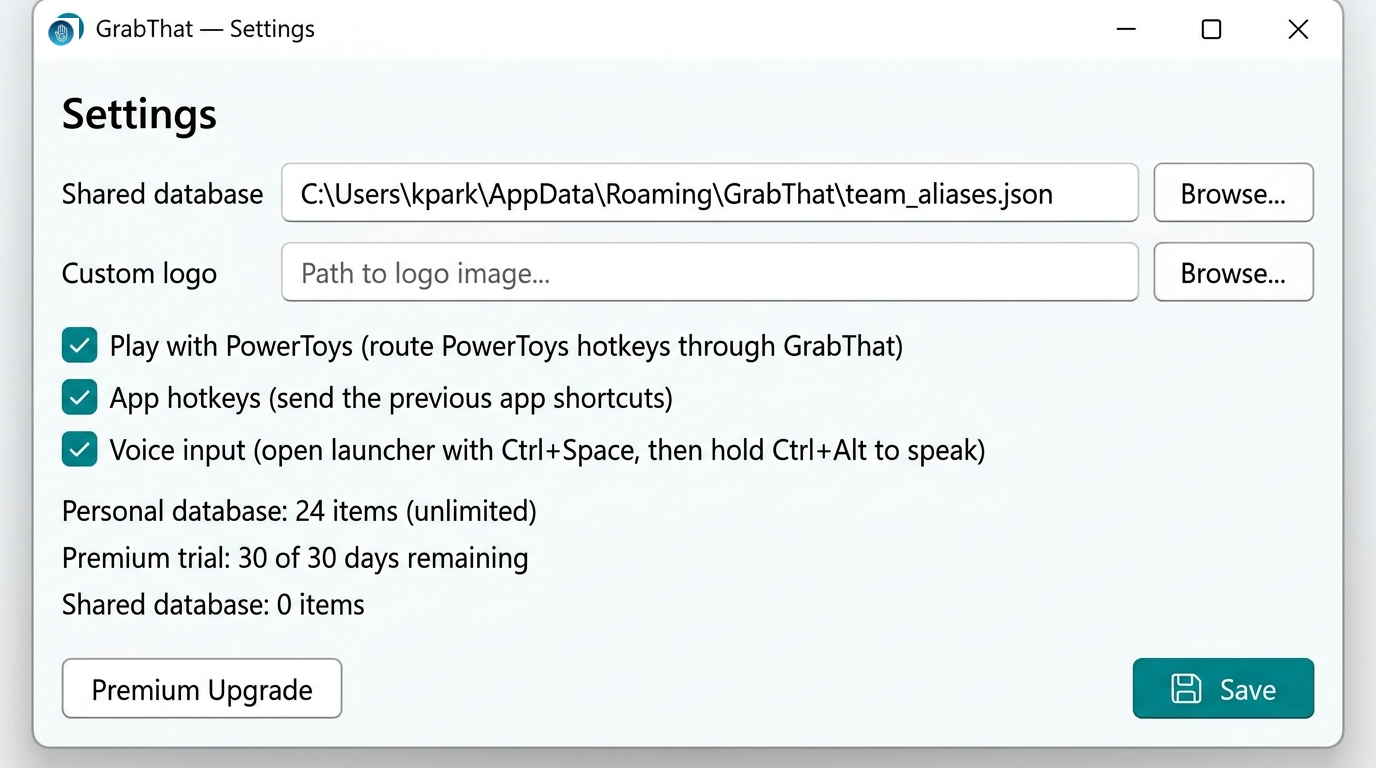
Settings
Set custom configuration, paths, and preferences (custom logo branding and team theming in Premium).
Built for people whose work cannot afford cloud latency or leaks.
How engineers, legal professionals, and team leads use GrabThat to retrieve local knowledge every day.
"The Launcher alone saves me at least an hour a day. Summons local models on my workstation in a snap without any API latency, cloud throttling, or surprise bills."
David Vance
Lead Systems Architect • Meridian Technologies
"GrabThat feels like what desktop AI was always promised to be: lightweight, snappy, respectful of workstation memory, and completely private."
Elena Rostova
Engineering Team Lead • Stratum Solutions
"Finding draft clauses across thousands of unindexed matter files used to take an entire afternoon. With CTRL+Space and plain language, I pull the exact document in seconds."
Marcus Sterling
Senior Litigation Paralegal • Sterling & Partners Legal
"Replaced three fragmented clipboard and snippet utilities with one local tool. Zero cloud calls means I can safely search proprietary client drawings and spreadsheets."
Sarah Lin
Principal Technical Consultant • Apex Design Studio
Knowledge Sharing
GrabThat features both a personal database and a shared team database. Shared connections empower leadership to direct teams to verified sources of truth. Connect standard operating procedures to natural language—such as asking, “I need help with my timesheet”—and get team members straight to the answers they need.
Built for how you actually work
Point teams directly to verified SOPs, design guidelines, and onboarding paths without cloud wikis.
Replace a scattered pile of standalone clipboard tools, snippet apps, and PowerShell scripts with one hotkey.
Instantly summon that half-remembered invoice, client contract clause, or CAD drawing from three months ago.
Clear answers about privacy, models, and pricing.
Everything you need to know about running GrabThat on your Windows workstation.
GrabThat runs quantized embedding and small language models locally using ONNX Runtime with DirectML acceleration. Document text is chunked and stored in a private local SQLite vector database on your SSD.
No external cloud APIs (like OpenAI or Anthropic) are required or contacted. All embeddings, searches, and semantic queries occur on your workstation CPU or GPU.
One to try, another to grab hold of.
Free Edition
Essential local desktop hub with built-in telemetry and knowledge base management.
- 15 personal database items
- Settings
- Database Manager
- Telemetry
- 30-day Premium TrialIncluded
Premium
Unlimited desktop intelligence and complete automation for power users and teams.
- Unlimited personal database items
- Unlimited shared database items
- All free features
- Scripts
- Snippets
- Clipboard
- Custom Branding
- Microsoft PowerToys integrations
Billed annually ($96/yr) • Save 20%
Why choose Premium over free tools?
Paying buys what free open-source rivals do not: actively maintained Windows software, shared team databases, priority updates, and automated cross-tool workflows.
At $8/mo, it costs less than most teams spend on cloud AI seats in a single week—with zero compliance risk.
Enterprise invoice billing and multi-seat volume licensing available upon request.